

News Aggregator Apps vs. Web Directories: How Do They Organize Online Information?
Digital devices have become one of the main ways people access news. Research from Pew Research Center found that 86% of U.S. adults surveyed in 2025 said they sometimes get news through smartphones, computers, or tablets. With so many publishers competing for attention, digital tools increasingly help readers organize, discover, and return to information.
Two approaches solve this problem in different ways. News aggregator apps gather current stories into changing feeds, while web directories organize websites into more stable categories. A directory platform like Juso On-gil in Korea (뉴스 및 시사 웹사이트) might group News and Current Affairs Websites alongside sections for technology, business, sports, entertainment, or regional information. This gives users a starting point for finding publishers rather than a constantly updating stream of individual articles.

Feeds Follow Stories, While Directories Follow Sources
The biggest difference is what each system organizes. News aggregators generally focus on individual stories. They collect or display content from multiple publishers and arrange it around topics, recent events, interests, or location.
Google News Help, for example, explains that computer algorithms determine which stories appear in many parts of Google News and how they are ordered. Its system can organize information around headlines, local news, topics, sources, and personalized recommendations. That makes the service useful when someone wants to see what is happening now rather than manually visiting several publishers.
A web directory starts from a different premise. Its primary unit is usually the website or online resource. Instead of continuously rearranging individual stories, directories can place destination links under descriptive categories. Users then decide which source they want to visit.
What Changes When Information Updates Automatically?
Automated updating is one of the clearest advantages of an aggregator. News moves quickly, so systems that collect current content can refresh their feeds as publishers release new material. Users can open one interface and view stories from several sources without checking each site individually.
Apple Support describes Apple News as an app that brings stories from different sources and topics into one place. Users can follow channels and subjects, while the service updates its Today feed with current material. This type of design makes aggregators especially suited to breaking stories and frequently changing subjects.
Directories usually require less constant movement. A link to a newspaper, broadcaster, or specialist publication may remain useful for months or years even though the material behind that link changes daily. However, directory operators still need to maintain their collections because websites can move, shut down, or change focus.
Search or Browse: Which Discovery Method Works Better?
Aggregators tend to combine search with automated discovery. Users can search for a specific event, publisher, person, or topic, then move between related stories. Google News Help states that its search tools can narrow results using elements such as exact phrases, dates, and publisher sites.
Directories are often more useful for exploratory browsing. Someone who knows the type of information they need but does not know a specific publisher can open a category and review available destinations. This approach also supports broader digital resource discovery, where organized platforms help users locate useful websites, tools, files, and other online materials. The process resembles browsing a catalog rather than following a live feed.
Neither approach eliminates search engines. Instead, both provide additional organizational layers. Aggregators organize changing content, while directories reduce a large web environment into smaller sets of relevant destinations.
Personalization Brings Convenience and Trade-Offs
Personalization creates another important contrast. Google News Help says Google News can personalize parts of its service using interests, followed sources, settings, and activity across some Google services. Users can also follow or unfollow topics, locations, and publishers.
Apple Support similarly explains that people can follow channels and topics in Apple News, while its recommendation systems can suggest stories based on their interests and activity. Personalization can reduce the effort needed to find relevant material because the interface adapts over time.
A traditional directory usually offers less individualized filtering. Two visitors opening the same category may see the same collection of links. That can feel less convenient, but it also makes the organizational logic easier to understand. Users choose destinations directly rather than relying heavily on recommendations selected for them.
Notifications Give Aggregators a Different Role
Mobile notifications strengthen the real-time nature of news apps. Apple Support notes that Apple News users can enable notifications for selected channels as well as certain Apple News alerts. Google also provides notification controls within its news services.
This means aggregators can actively bring information to the reader. A traditional directory normally waits for the user to return and browse. It functions more like a reference tool than an alert system.
That distinction matters on smartphones. Apps are designed around frequent interaction, scrolling, notifications, saved interests, and quick access. Browser-based directories can still work well on mobile devices, especially when their layouts are responsive, but their main value is usually navigation rather than continuous engagement.
Why Structured Directories Still Matter
Automated feeds are efficient, but structured collections still serve a practical purpose. A feed answers the question, “What is being reported now?” A directory is better suited to questions such as, “Which sources cover this subject?” or “Where else can I look for information?”
This difference can be useful when readers want to compare reporting across publishers. Research from Pew Research Center shows that people use several digital pathways when seeking news, including news organizations, search engines, and social platforms. No single discovery method handles every browsing need equally well.
Can the Two Models Work Together?
The strongest distinction between aggregators and directories may become less clear over time. A hybrid service can maintain categorized collections of publishers while also retrieving recent stories from those sources. Search, filtering, notifications, and personalization can then sit on top of a directory-like structure.
For users, the choice depends on the task. Aggregators are useful when speed, updates, and personalized feeds matter most. Directories are better suited to deliberate browsing and discovering external destinations by category. Combining both models can offer a broader solution, giving people structured paths to reliable destinations while still helping them follow a fast-moving flow of digital information.

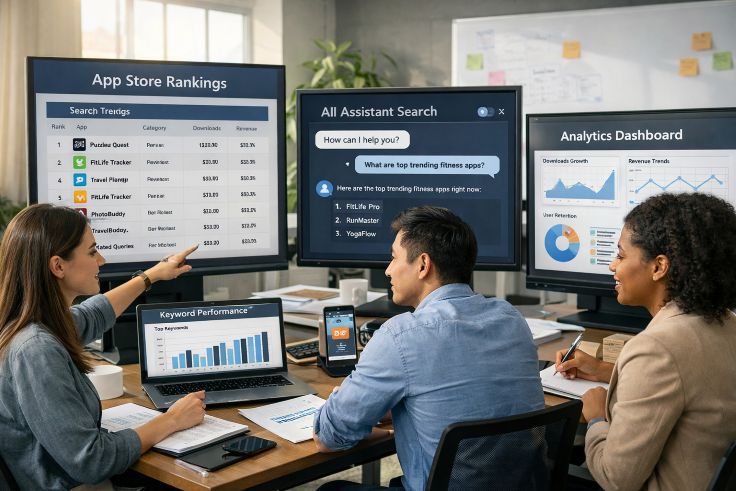

 App technology continues to evolve at an incredible pace. Every year, new tools, platforms, and frameworks emerge to make app development faster, smarter, and more user-friendly to download design resources. Businesses now rely on apps not just to sell products, but also to connect with customers, deliver services, and create memorable digital experiences. Whether it’s mobile apps for shopping, desktop apps for productivity, or web apps for entertainment, technology has made development more accessible than ever.
 Reddit’s community has grown so large that moderation is now one of its most visible challenges. Over recent months, the platform has noticeably increased bans and shadowbans, a move that has sparked discussions among users and developers alike. This surge highlights a larger truth: every social app that scales must also strengthen its guardrails. Moderation is not a side project anymore; it is part of the product experience itself.


 If you’ve spent more than a few raids in Escape from Tarkov, you already know one truth: getting lost can kill you just as fast as a bullet. Navigating the game’s complex maps—filled with locked doors, hidden stashes, and unpredictable extracts—is half the battle. And while “learning by dying” is a core part of the Tarkov experience, third-party map apps can save you time, gear, and sanity—no need to rely on an EFT cheat just to find your way around.
 Short for Social Media Marketing Panel, an SMM Panel is a venue intended especially for app developers and marketers. It offers a consolidated center for running all of your social media marketing campaigns on several platforms—Facebook, Instagram, Twitter, and more.
 Cheaters use various strategies, such as ESP, wallhacks, and aimbots, to gain an unfair advantage. For honest players, these technologies can disturb the gameplay experience, compromising the competitive spirit and fair play integrity that distinguish Fortnite.
 So, you’ve got an awesome app, and now you’re looking for ways to get it into the hands of users who will love it. Social media can be a goldmine for app marketing, but it’s not as simple as posting and
  Although one can purchase Instagram followers via software technology, it also can be used to encourage natural development. Apps abound that will assist with chores including content generation, post scheduling, audience analysis, and task completion. These programs will enable you to have a more interesting Instagram profile, which will over time naturally draw more followers.
 Search engine optimization
 Seeing the follower count of your IG profile can be simply done by launching the IG app on your smartphone. Click on the image or icon located at the right corner of the bottom of the app to access your profile. Look below your username in profile page bio and you will see the updated number of your followers.
 When you find yourself stranded on the side of the road, whether due to a flat tire, dead battery, or any other issue, emergency roadside assistance is a crucial service
 Many small business owners may find the upfront fees of using provider-provided IT services prohibitively high. Still, it’s cheaper than hiring an in-house IT group or going without IT help altogether.
 Desktop users may be certain that Application Guard will keep them safe while they work. With the upgraded protected view, Application Guard prevents the attacker from accessing any resource that could be of interest to them, including memory, local storage, installed programs, corporate network endpoints, and more. With Application Guard, users can open, edit, and save untrusted Word, Excel, or PowerPoint files while still being protected at the hardware level.