How Compliance-Tracking Apps Handle UL-Rated Labeling Requirements
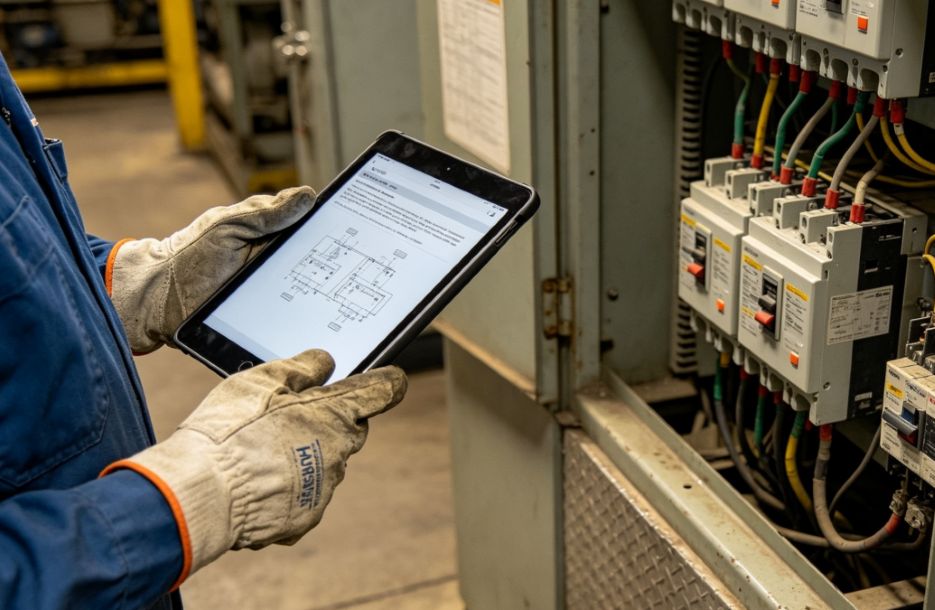
Industrial facilities rely on accurate equipment identification to support maintenance, inspections, and workplace safety. Electrical panels, control systems, machinery, and other assets often require durable safety markings that remain readable throughout their service life. Keeping track of which labels are required, where they are installed, and when they should be inspected becomes increasingly difficult as equipment inventories grow.
Many organizations address this challenge by combining digital asset records with UL certified labels that are designed for applications requiring recognized marking performance. When these labels are connected to a compliance-tracking system, maintenance teams can monitor installation dates, inspection schedules, and replacement needs from a central dashboard instead of relying on manual records.
Why Tracking Equipment Labels Becomes Difficult
Large facilities often manage thousands of physical assets spread across multiple buildings or production areas. Each piece of equipment may have different labeling requirements depending on its purpose, operating environment, and applicable safety standards.
Labels can fade because of sunlight, chemicals, moisture, abrasion, or temperature changes. During equipment upgrades or repairs, markings may also become damaged or misplaced. Research from UL Solutions explains that safety-related labels are expected to remain legible and permanently attached under their intended environmental conditions because they communicate essential warnings, ratings, and operating information.
Without a structured tracking process, organizations may struggle to answer important questions:
- Which assets require certified safety markings?
- When was each label installed?
- Has a required inspection been completed?
- Does a damaged label need immediate replacement?
- Are maintenance records consistent across every facility?
These gaps increase administrative work and make compliance audits more time consuming.
What UL Certification on a Label Verifies
A common misunderstanding is that every label displaying a UL mark means the same thing. In reality, the certification depends on the specific program and intended application.
UL Solutions notes that marking and labeling systems are evaluated to verify that they continue performing as intended when exposed to environmental conditions such as humidity, heat, chemicals, sunlight, or abrasion. Testing focuses on characteristics including adhesion, durability, print permanence, and legibility.
For facilities using electrical or industrial equipment, this verification provides confidence that required safety information can remain visible throughout normal operating conditions. It does not automatically certify the equipment itself. Instead, it confirms that the marking system satisfies the applicable performance requirements for its intended use.
Experts note that many recognized marking systems are evaluated under standards such as ANSI/UL 969, which addresses permanent marking performance for labels used on certified products.
How Compliance-Tracking Apps Organize Label Information
Modern compliance software typically treats every label as part of a larger asset management record. Rather than storing information in paper files, each asset receives a digital profile containing relevant documentation.
A typical record may include:
- Asset identification number
- Equipment location
- Installation date
- Label type and specification
- Inspection history
- Photographs of the installed marking
- Maintenance activities
- Replacement schedule
By connecting these records with maintenance workflows, organizations create a consistent history for every asset. Technicians can quickly verify whether required markings remain intact before completing inspections or repairs.
Automated Alerts Reduce Manual Monitoring
One of the biggest advantages of compliance-tracking applications is automated notification. Instead of depending on spreadsheets or handwritten reminders, the software continuously compares inspection schedules against current dates.
When an inspection becomes overdue or a replacement interval approaches, the system can generate alerts for maintenance personnel. Some platforms also flag incomplete records or missing photographs before an audit begins.
This automation helps organizations maintain more consistent documentation while reducing the possibility of overlooked equipment.
Supporting Regulatory and Internal Audits
Preparing for audits often requires locating maintenance records, inspection logs, and evidence that safety markings have been properly maintained. Digital compliance systems simplify this process by organizing supporting documentation in one location.
Reports can typically summarize:
- Assets with current inspection status
- Equipment awaiting label replacement
- Completed maintenance activities
- Historical inspection records
- Outstanding corrective actions
Instead of searching through multiple filing systems, compliance personnel can retrieve the necessary records much more efficiently.
Integration With Maintenance Programs
Many organizations integrate compliance applications with computerized maintenance management systems (CMMS) or enterprise asset management software. This allows labeling status to become part of routine maintenance rather than a separate administrative task. Teams that also rely on downloadable design resources for documentation templates, equipment diagrams, or workflow materials can further improve consistency by keeping maintenance records and supporting assets organized in one digital ecosystem.
For example, when technicians complete scheduled service, the work order can include verification that required safety markings remain readable and securely attached. If damage is found, the issue can be documented immediately and assigned for correction.
This integrated workflow creates better consistency across maintenance, safety, and quality assurance teams.
Looking Ahead
As industrial operations continue adopting digital asset management, compliance-tracking applications are becoming valuable tools for managing labeling requirements alongside inspections and preventive maintenance. Their primary role is not to replace certification programs, but to organize accurate records that help facilities demonstrate ongoing compliance.
Findings from UL Solutions show that durable marking systems are intended to maintain essential safety information under demanding conditions. Compliance applications complement those physical labels by logging installation details, recording inspections, and automatically flagging assets that require attention before small documentation gaps become larger compliance issues.
 Windows 11 is here, and it’s more than just a prettier interface. With its sleek design, revamped Start Menu, and improved multitasking capabilities, it’s the perfect platform for productivity enthusiasts. But the real magic lies in the apps you pair with it. To help you make the most of Windows 11 professional, we’ve rounded up the top productivity apps that take full advantage of